
How to Use WFQA Within Haul: A Step-by-Step Guide

Haul’s WFQA (Workforce QA) Integration bridges the gap between driver roster management, drug and alcohol (D/A) test ordering, and background or compliance package ordering — all within the Haul platform.
Once enabled, this integration allows you to order, review, and manage Workforce QA services directly from Haul without leaving the application.
Below is a step-by-step guide on how to use the WFQA integration.
Overview of the Integration
The WFQA integration connects Haul’s compliance modules with Workforce QA to support:
- Driver Drug & Alcohol (D/A) roster management and scheduling
- Background and compliance package ordering (e.g., MVR, CDLIS, Employment History, etc.)
To access WFQA functionality:
- Navigate to the Driver Profile in Haul.
- Select the Actions dropdown menu.
- Under the Integrations section, choose Request WFQA Package.
This menu serves as your control center for scheduling D/A tests and ordering background packages through Workforce QA.
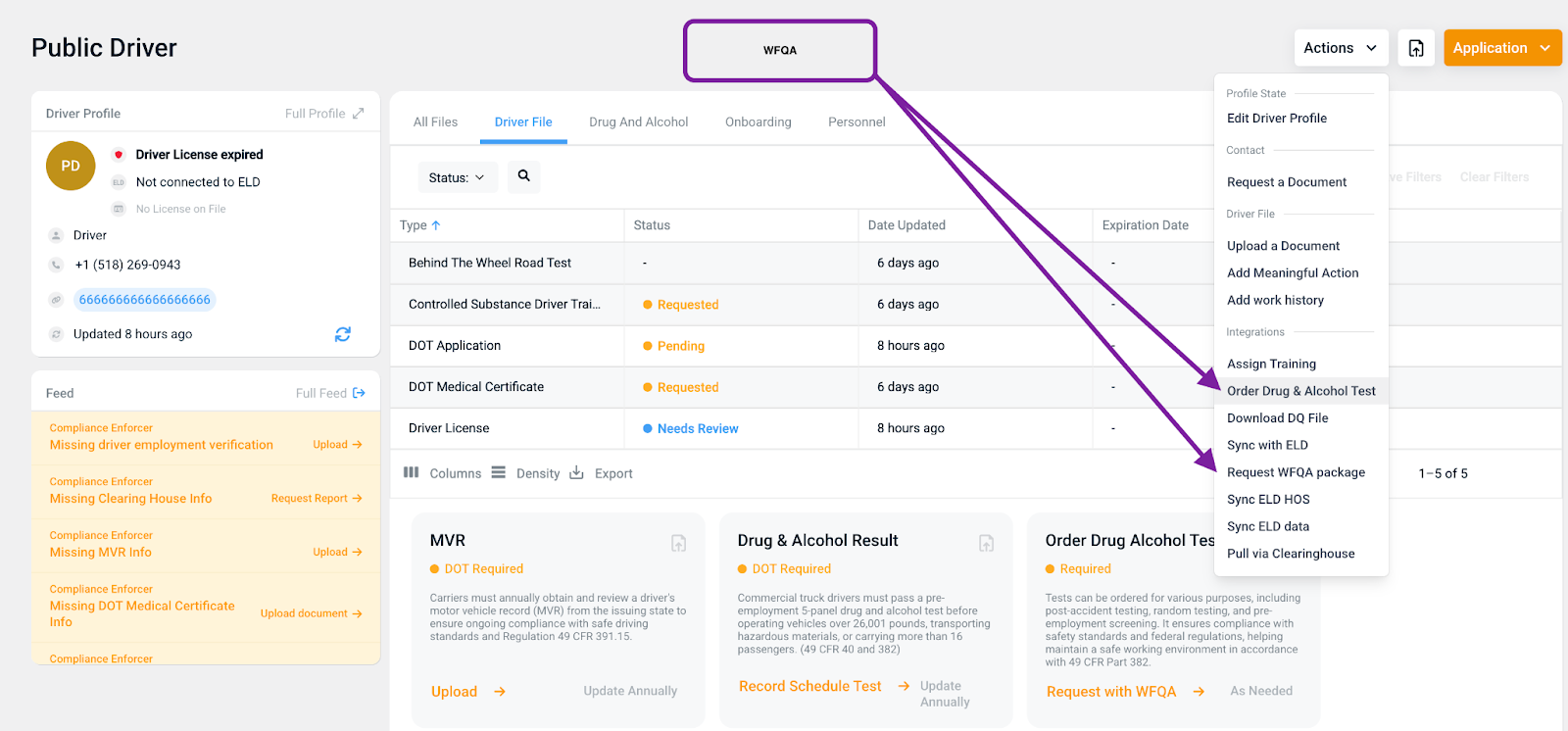
Requesting WFQA Packages in Haul
Once the integration is enabled for your organization, you can use the “Request WFQA Package” option to order available services.
When ordering, note:
- You do not need to fill out First Name, Last Name, or SSN — Haul automatically sends this information from the driver profile.
- You’ll select the following options:
- DOT Type: DOT or Non-DOT
- Package Type: Based on the services your organization has set up with WFQA (e.g., MVR, CDLIS, Employment Verification)
- Terminal Location: Where the driver is based or assigned
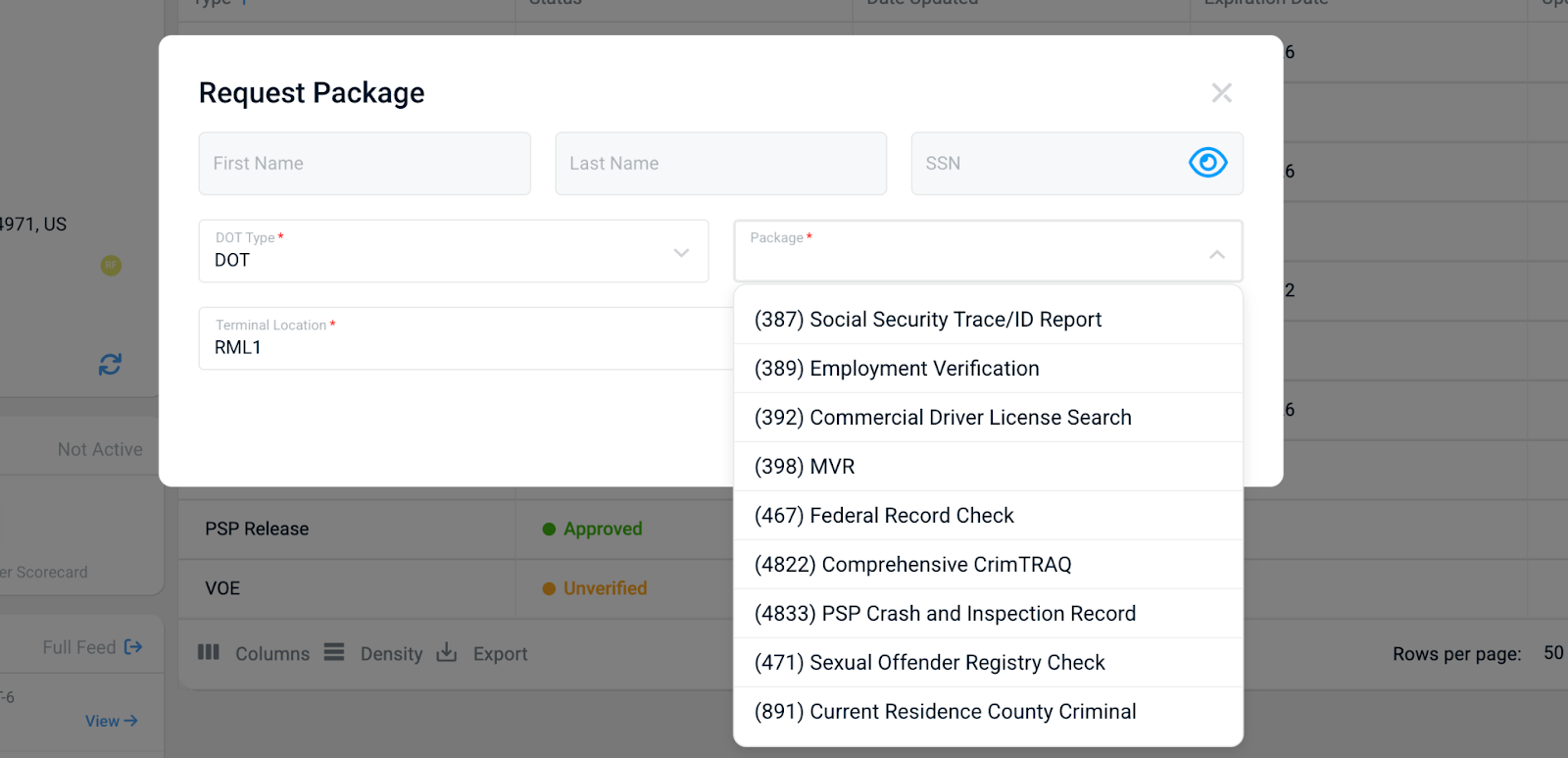
Once submitted, the service you ordered will appear under the corresponding document type in Haul.Example: If you ordered an MVR, it will automatically appear under the MVR document type within Haul for review.
Ordering a Drug and Alcohol (D/A) Test
From the same Actions > Request WFQA Package menu, you can initiate a D/A test.
When creating a D/A order, you’ll complete the following fields:
- DOT Type: DOT or Non-DOT
- Test Type: (e.g., Pre-employment, Random, Post-Accident, Return-to-Duty)
- Send to Fax Location: Yes / No
- Terminal Location
- Location Selected By: Manager or Driver
- Service Type: (e.g., Drug Screen, Physical, BAT)
- Collection Schedule Date
- Order Expiration Date
- Collection Site Radius & Address
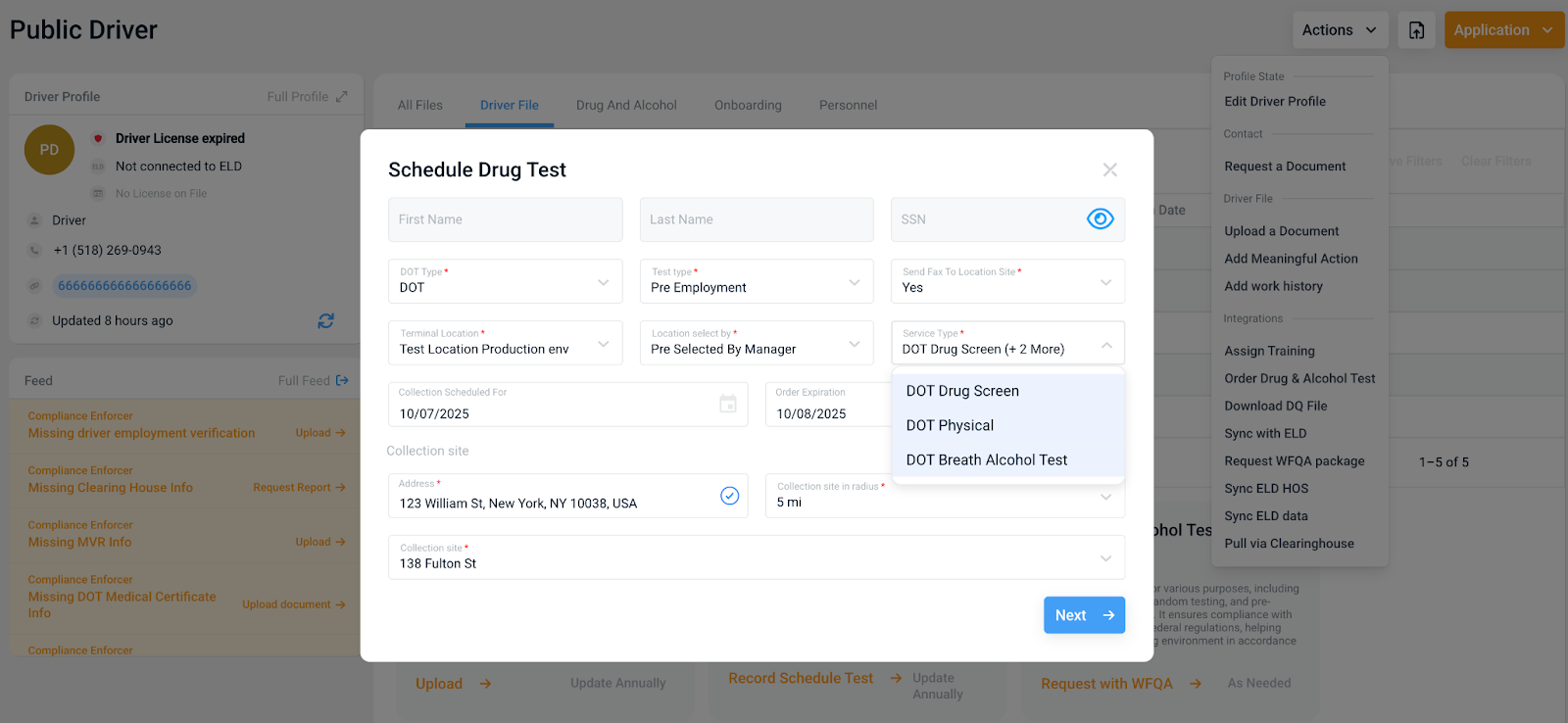
Once submitted:
- Haul automatically sends the request to WFQA.
- WFQA triggers an event that sends instructions and directions to the driver for scheduling and completing the D/A test.
- After the test is completed, results are automatically transmitted back into Haul under the Drug & Alcohol Result document type.
Drug and Alcohol List Management
Haul automatically shares your active driver roster with WFQA.WFQA uses this roster to maintain compliance lists for random testing selection and active monitoring.
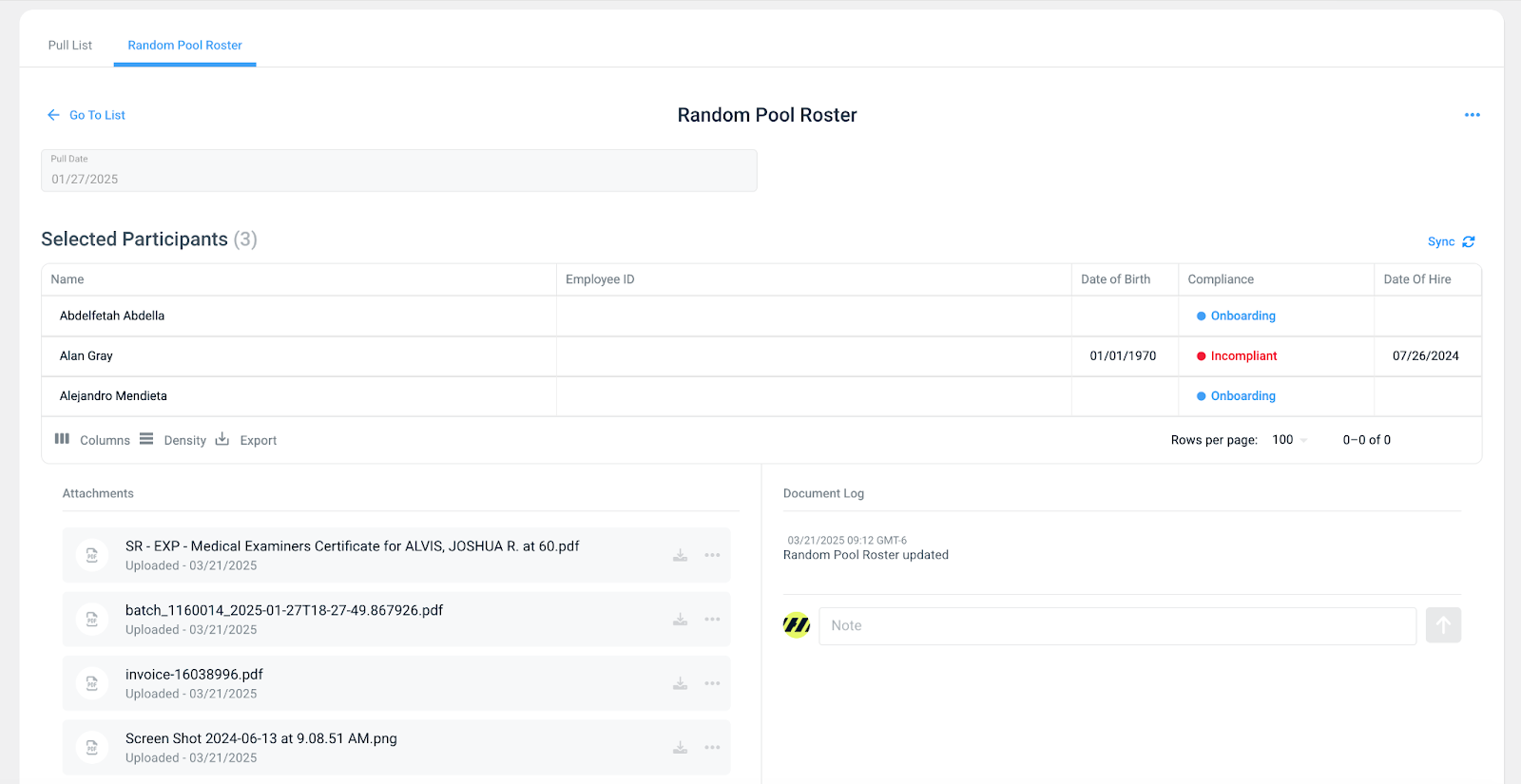
You can manage and view this information within the Drug & Alcohol tab in Haul.
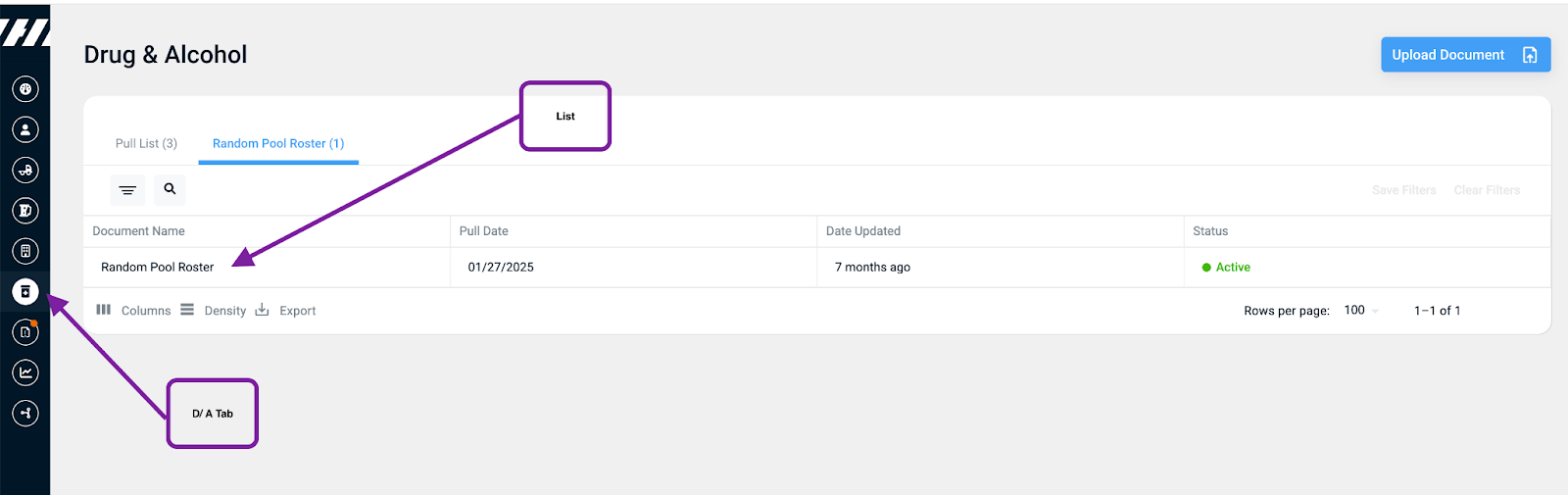
You will want to find yourself with the Drug and Alcohol tab. Here you will see tabs to both your Pulls lists and you roster lists.
Roster List: Feature Highlight
- Displays all drivers synced with WFQA.
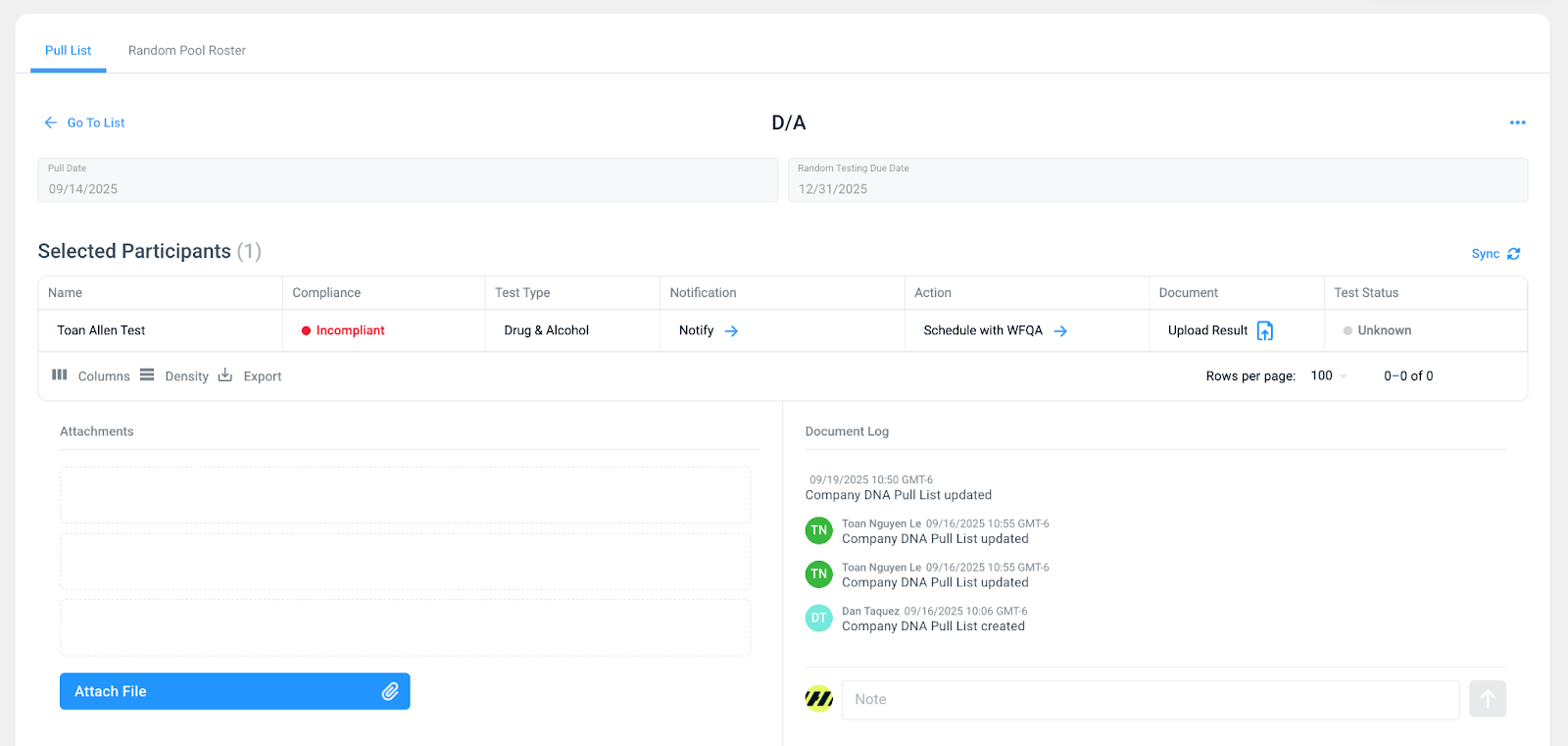
Pull Lists: Feature Highlight
- Reflects random test selections generated by WFQA.
- Syncs automatically to Haul for viewing and tracking.
- Lists are read-only in Haul for compliance accuracy.
- Track notifications and schedule D/A tests
- Your results will automatically come back into Haul - or upload manually
How to Sync Lists
You can manually sync your WFQA data within Haul:
- Go to the WFQA tile (currently located under Company Documents).
- Click Sync Roster or Sync Pull List.
Note: These sync buttons are being moved to the Drug & Alcohol tab in an upcoming release for easier access.
FAQ
Can I order/edit a pull list directly through Haul?No. Pull lists must still be created in WFQA. Haul will automatically sync and display the lists once available.
What if my WFQA package doesn’t show up in Haul? If you are not seeing the package you have signed up for in WFQA, please contact support.
I can't execute my WFQA packages? Ensure the driver’s required information (SSN, DOB, License Number) is entered correctly in their profile. If issues persist, contact support.
Where do I find the results?Results and documents will appear under the appropriate document type in Haul (e.g., MVR, Drug & Alcohol Result).
-
If you have any issues, please contact support@haulcompliance.com.