
Introducing the Haul API & Webhooks: Build on Your Compliance Data


Your compliance data shouldn't live in a silo. Today we're excited to introduce API Keys and Webhooks in Haul — a new way to connect your compliance data to the rest of your tech stack. Whether you want to sync driver records into your TMS, push compliance alerts into Slack, or let an AI assistant answer questions about your fleet, you can now do it all programmatically.
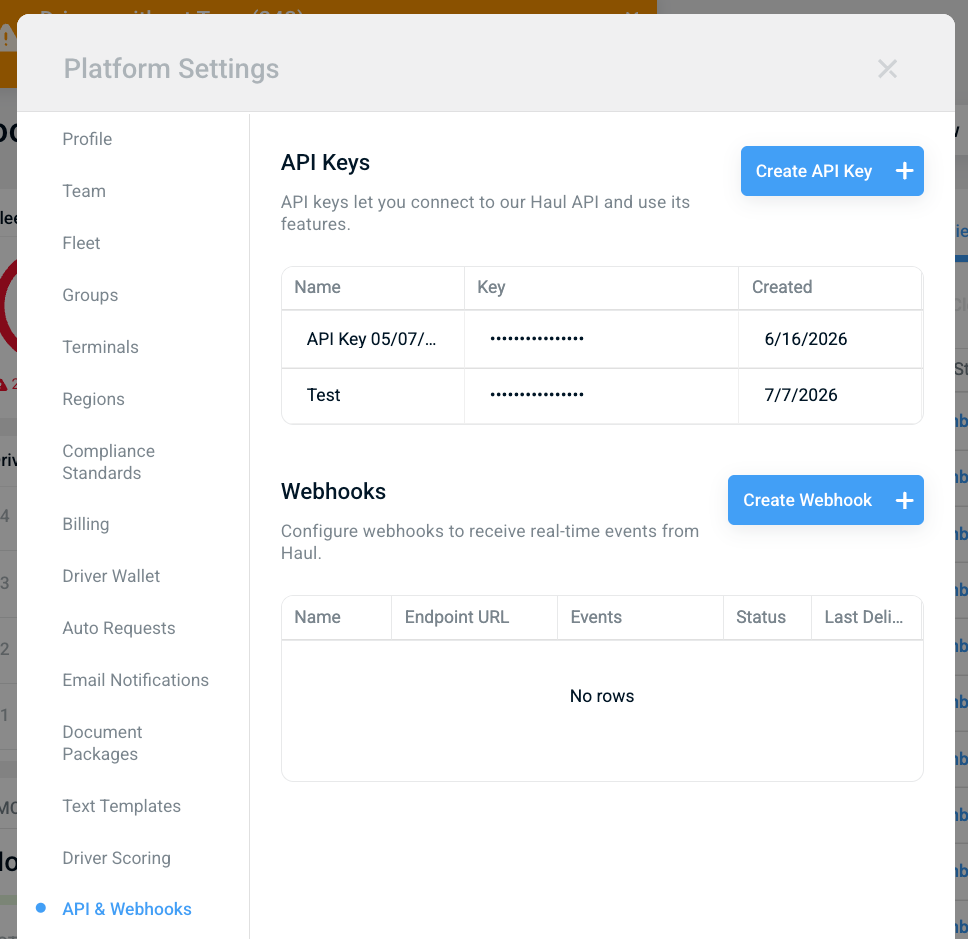
Both features live in one place: Platform Settings → API & Webhooks, or jump straight there with this link.
API Keys: Pull Your Data, Your Way
API keys let you connect to the Haul API and access your fleet's compliance data from your own systems.
Creating one takes seconds:
- Go to Platform Settings → API & Webhooks
- Click Create API Key
- Give it a descriptive name (e.g., "TMS Integration" or "Reporting Dashboard")
- Click Generate API Key
🔐 Keep it safe. Treat your API key like a password. Store it in a secrets manager, never commit it to code, and create separate keys for each integration so you can revoke one without breaking the others.
Webhooks: Real-Time Events, No Polling Required
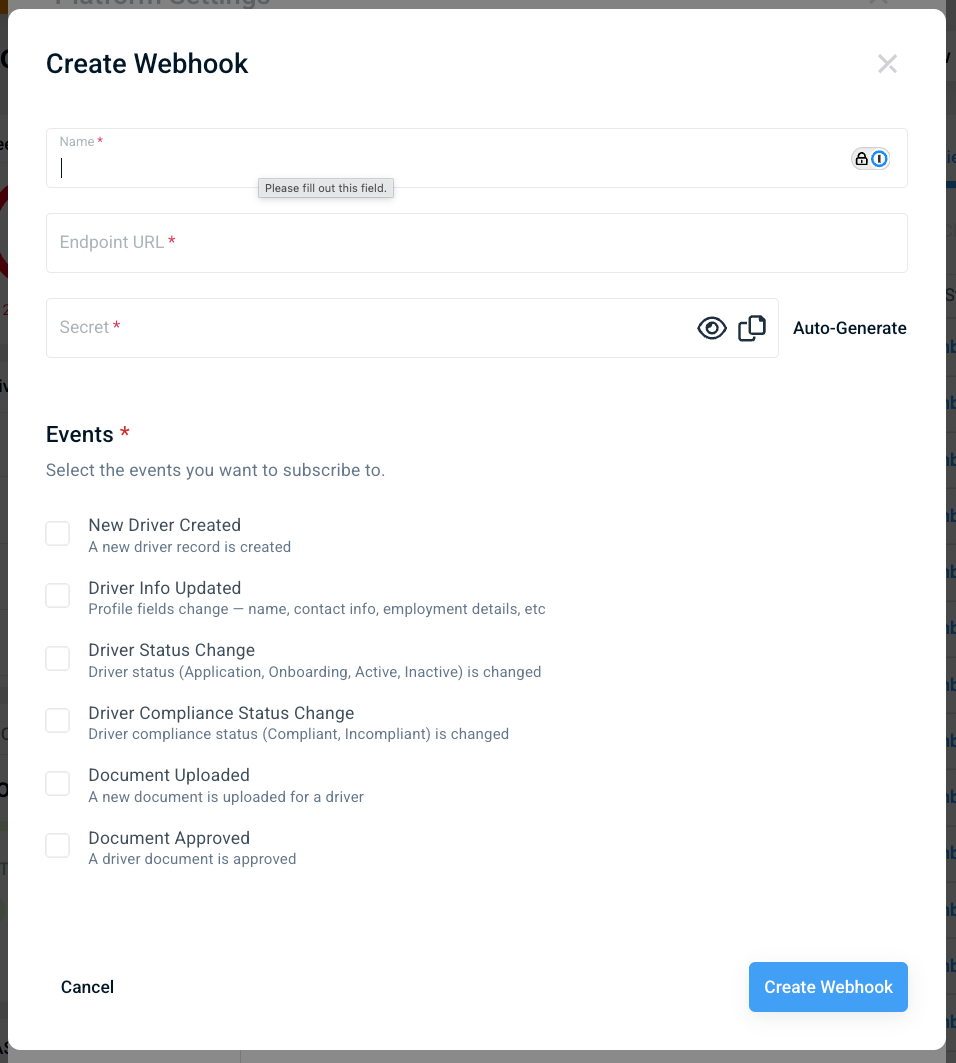
Instead of repeatedly asking Haul "did anything change?", webhooks push events to your systems the moment they happen. You can subscribe to:
- New Driver Created — a new driver record is created
- Driver Info Updated — profile fields change (name, contact info, employment details)
- Driver Status Change — a driver moves between Application, Onboarding, Active, or Inactive
- Driver Compliance Status Change — a driver becomes Compliant or Incompliant
- Document Uploaded — a new document is uploaded for a driver
- Document Approved — a driver document is approved
To set one up:
- Go to Platform Settings → API & Webhooks
- Click Create Webhook
- Enter a name and your endpoint URL
- Add a secret (or click Auto-Generate) — use it to verify that incoming events really came from Haul
- Select the events you want to subscribe to and click Create Webhook
You can monitor delivery status right from the same screen.
What Can You Build?
Ask AI about your fleet. This is the one we're most excited about. Connect the Haul API to an LLM assistant like Claude or ChatGPT and you can ask questions in plain English:
"Which drivers are missing documents before Friday's DOT audit?" "Show me every driver whose compliance status changed this week." "Summarize why Terminal 3 has the most incompliant drivers."
The assistant queries the Haul API behind the scenes and answers with your live data — no dashboards, no exports, no digging.
Instant compliance alerts. Subscribe to Driver Compliance Status Change and post to Slack or Teams the moment a driver goes incompliant — so your safety team acts in minutes, not at the next weekly review.
Automated onboarding handoffs. When Driver Status Change fires for a driver moving to Active, automatically provision them in payroll, your ELD platform, or your TMS.
Custom reporting. Pull driver and document data into your BI tool of choice and blend compliance metrics with operational data.
Get Started Today
API Keys and Webhooks are available now to all Haul customers. Head to Platform Settings → API & Webhooks to create your first key.
Questions or an integration idea you'd like to see? Reach us at info@haulcompliance.com — we'd love to hear what you're building!